
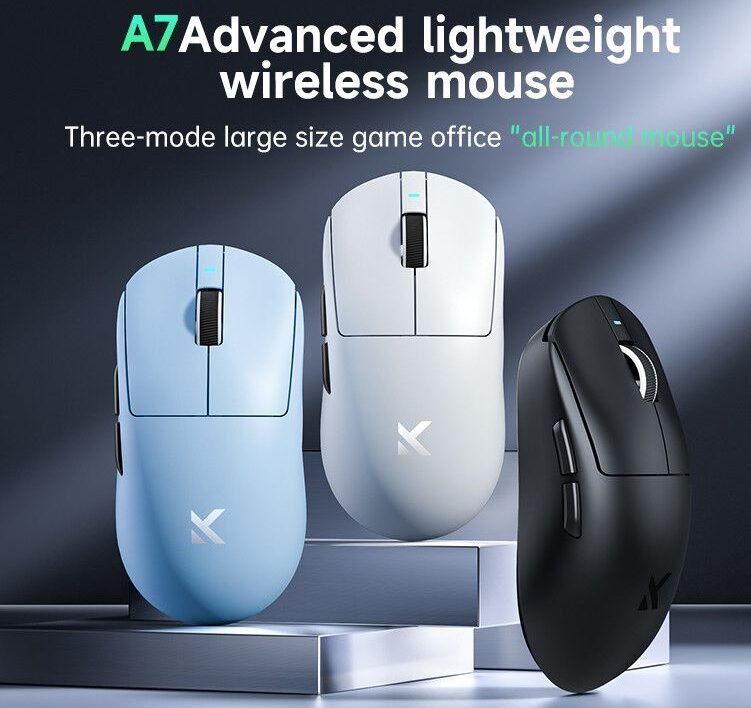
How Pro Players Choose the Perfect Mouse
In esports, every millisecond matters. Whether you’re clutching a round in a tactical shooter or executing perfect micro-movements in an RTS game, your mouse can be the difference between winning and losing. Professional esports players don’t just pick any mouse — they carefully choose equipment that maximizes precision, speed, and comfort.
In this guide, we’ll explore everything you need to know about esports gaming mice: how they work, the features that matter most, and the models that dominate the competitive gaming scene.
What Makes an Esports Mouse Different?
A regular office mouse is designed for basic productivity tasks like browsing the internet or editing documents. Esports mice, however, are engineered for extreme precision, low latency, and high durability.
Key differences include:
• Higher DPI sensors
• Faster polling rates
• Lightweight designs
• Ultra-low click latency
• Advanced customization software
Professional players require consistent tracking and instant response, especially in competitive games like Counter-Strike 2, Valorant, and Fortnite.
Even a slight delay in mouse response could cost a player a match.
Key Features to Look for in an Esports Mouse
1. Sensor Quality (The Most Important Factor)
The sensor determines how accurately the mouse tracks movement.
Modern esports mice use optical sensors capable of extremely precise tracking with no acceleration.
Some of the best sensors are found in mice like the Logitech G Pro X Superlight and the Razer Viper V2 Pro, both widely used in professional tournaments.
A good esports sensor should provide:
• Pixel-perfect tracking
• Zero smoothing or acceleration
• High maximum DPI
• Low lift-off distance
2. DPI (Dots Per Inch)
DPI measures how sensitive the mouse is.
Higher DPI means the cursor moves further with less physical movement.
However, many professional players actually use lower DPI settings (400–800) for better precision.
For example, many pros in Valorant Champions Tour prefer 800 DPI combined with in-game sensitivity tuning.
3. Polling Rate
Polling rate determines how often the mouse reports its position to the computer.
Standard options include:
• 125 Hz
• 500 Hz
• 1000 Hz
• 4000 Hz
• 8000 Hz
Most esports players use 1000 Hz or higher to ensure minimal input delay.
Some modern mice like the Razer DeathAdder V3 Pro support 8000 Hz polling, delivering incredibly fast response times.
4. Weight
Lightweight mice have become extremely popular in esports.
A lighter mouse allows for:
• Faster flick shots
• Reduced wrist fatigue
• Better control
Many top esports mice now weigh between 55g and 70g.
The Finalmouse Ultralight X is one example designed specifically for ultra-light competitive gaming.
5. Shape and Ergonomics
Mouse shape is very personal.
Players usually choose based on their grip style:
Palm Grip
Your entire hand rests on the mouse.
Best with ergonomic shapes like the Razer DeathAdder V3 Pro.
Claw Grip
Your palm touches the back of the mouse while fingers arch.
Many pros prefer the Logitech G Pro X Superlight for claw grip.
Fingertip Grip
Only fingertips touch the mouse.
Lightweight symmetrical mice work best here.
Wired vs Wireless: Which Is Better for Esports?
For many years, wired mice were considered better due to lower latency. However, modern wireless technology has completely changed the game.
Brands like Logitech, Razer, and SteelSeries now produce wireless mice with latency comparable to — or even better than — wired models.
Advantages of wireless mice:
• No cable drag
• Cleaner setup
• More freedom of movement
Many professional esports athletes now use wireless models in tournaments.
Most Popular Esports Gaming Mice in 2026
Here are some mice widely used in competitive gaming.
1. Logitech G Pro X Superlight
One of the most popular esports mice ever made.
Features:
• Extremely lightweight (~63g)
• HERO 25K sensor
• Excellent battery life
• Used by many pro players
2. Razer Viper V2 Pro
A favorite among FPS professionals.
Key highlights:
• Lightweight design
• Focus Pro 30K sensor
• Optical switches
• Symmetrical shape
3. SteelSeries Aerox 5 Wireless
Known for its honeycomb design and versatility.
Features include:
• Lightweight body
• Long battery life
• Multiple programmable buttons
How Pro Players Choose Their Mouse
Professional players spend hundreds of hours practicing, so comfort and consistency are crucial.
When choosing a mouse, pros consider:
• Muscle memory
• Hand size
• Grip style
• Weight preference
• Sensor performance
Many esports teams even test multiple mice before tournaments to find the perfect fit.
Tips for Choosing the Right Gaming Mouse
If you’re buying your first esports mouse, keep these tips in mind:
1. Don’t chase high DPI numbers
Most players never use more than 1600 DPI.
2. Choose shape over specs
Comfort matters more than flashy features.
3. Lightweight is usually better
But extremely light mice may not suit everyone.
4. Check your grip style
Different shapes suit different grips.
5. Use a good mousepad
Even the best mouse performs poorly on bad surfaces.
The Future of Esports Gaming Mice
Gaming hardware companies continue pushing technology forward.
Future esports mice may include:
• AI-based sensor optimization
• Even lighter materials
• Higher polling rates
• Improved battery technology
As esports continues to grow globally, the demand for high-performance gaming gear will only increase.
Major tournaments like The International and League of Legends World Championship already showcase how critical hardware is to competitive success.
Final Thoughts
Your gaming mouse is one of the most important tools in your esports setup. The right mouse can improve accuracy, reaction time, and overall performance.
Whether you’re grinding ranked matches or aiming for professional competition, investing in a quality esports mouse is a step toward better gameplay.
Remember: the best mouse isn’t always the most expensive — it’s the one that feels perfect in your hand.